2010年8月26日星期四

谷歌增加Call phone功能 挑戰Skype


Gmail和Google Voice的整合跟Gtalk當初與Gmail的整合類似,但如果你需要進行通話的話還是要下載Google Talk語音和視頻聊天插件,然後就可以直接在Gmail裡免費撥打美國或加拿大的任何電話了,如果你有Google Voice帳戶,那麼可以給全球任何地方打電話──價格很便宜。

Google Voice這次與Gmail的整合是全面性的,意味著你甚至可以在Gmail裡接聽電話,並使用Google Voice的聯繫人電話薄。撥號界面就跟普通電話一樣,輸入完號碼或在聯繫人列表裡選擇一個人之後,點擊Call phone按鈕就直接打電話了。

那麼現在你不必在Android或黑莓上裝Google Voice客戶端, 直接就可以用電腦來接聽電話了,前提是將自己的電話號碼接駁到Google Voice號碼上。只要你的筆記本一直在線,就可以帶在身邊隨時接打電話,不會錯過任何來電。如果你要離開一下筆記本或者說你移動到了無WiFi地區,可 以在Gmail裡一鍵切換Google Voice通話到裝有Google Voice的Android或黑莓上,繼續煲你的電話──無縫切換。

價格:

  • 從美國往美國或加拿大打電話:免費
  • 從美國往大部分國家打電話:每分鐘2美分,無其它附加費用
  • 撥打中國大陸座機和中國移動的手機也是2美分/分鐘,各國價格表見此

Google to allow phone calls from Gmail

NEW YORK (Reuters) – Google Inc said users of Gmail will now be able to call telephones directly from their email, putting it in direct competition with Web calling service Skype and more traditional operators such as AT&T Inc and Verizon Communications.

While Google had already offered computer-to-computer voice and video chat services, it said that starting on Wednesday it will now allow calls to home phones and mobile phones directly from Gmail for the first time.

Google promised free calls to U.S. and Canadian phones from Gmail for the rest of this year and said it would charge low rates for calls made to other countries.

For example it said calls to Britain, France, Germany, China and Japan would be as low as 2 cents per minute.

Analysts said the service would likely be a bigger competitive threat to services like Skype's than to traditional phone companies, which have already been cutting their call prices in recent years in response to stiff competition.

"This is a risk to Skype. It's a competitor with a pretty good brand name," said Hudson Square analyst Todd Rethemeier.

Skype, which owned by private equity firms and eBay Inc and planning a $100 million initial public offering, has long allowed consumers to make calls from computers to phones. Skype became popular by first offering free computer-to-computer voice and video services.

Like Skype, Rethemeier said the Google service will likely be much more popular among U.S. consumers making international calls, than among people calling friends inside the country.

"Calling is so cheap already that I don't think it will attract a huge amount of domestic calling. It could take some of the international market," he said.

Another analyst, Steve Clement from Pacific Crest, said that anybody who is tempted by Internet calling services has likely already disconnected their home phone.

"The type of person who would use a service like that isn't the type of customer who still has a landline," Clement said.

Google said making a call through its service works like a normal phone in that a user could click on the "call phone" option in their chat buddy list in Gmail and type in the number or enter a contact's name.

Calls that cost money will be charged from an online account that users can top up with a credit card, Google said. The service will not be available for making outgoing calls on cell phones because other Google apps already cater to that market, the company added.

Google shares closed up $3.23, or 0.72 percent, at $454.62 on the Nasdaq, while the shares of eBay rose 29 cents, or 1.27 percent, to $23.16, also on the Nasdaq.

(Reporting by Sinead Carew; Additional reporting by Bill Rigby; editing by Andre Grenon and Steve Orlofsky)

http://news.yahoo.com/s/nm/us_google_phonecalls

2010年8月24日星期二

Windows 7新補丁更好支持2TB以上大硬盤

微軟近日發佈了一個新的熱修復補丁(hotfix),完善了Windows 7、Windows Server 2008 R2對於硬盤可用空間超過2TB的支持。

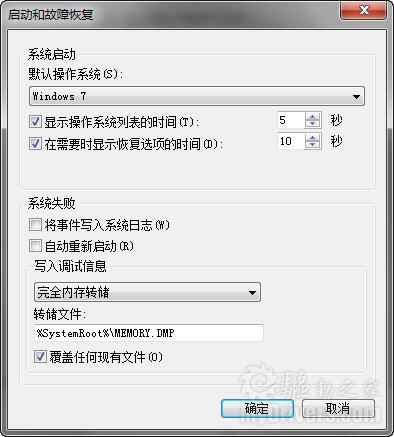
如果你的電腦安裝了Windows 7或者Windows Server 2008 R2操作系統,硬盤可用空間大於2TB(單塊或多塊RAID),系統配置為在某個硬盤捲上保存轉存儲文件(默認開啟),然後系統不幸崩潰,出現了Stop 錯誤代碼信息(通俗地說就是藍屏了),這種情況下一個或多個硬盤捲可能會損害,數據也可能會丟失。

Windows 7新补丁更好支持2TB以上大硬盘

另外當系統進入休眠,生成Hiberfile.sys休眠文件的時候,上述問題也可能會發生。

最嚴重的是,如果損壞的硬盤捲包括系統分區,電腦將無法再啟動。

微軟解釋說,問題出現在崩潰轉存儲驅動Diskdump.sys的尋址空間限制上。它和當今硬盤使用的邏輯塊尋址模式(LBA)一樣也是32位尋址機制,最大尋址範圍只有2的32次方個硬盤扇區(單個扇區512Byte),也就是2TB。如果實際硬盤空間超過2TB,該驅動會錯誤地截斷偏移,在錯誤的位置上保存數據,結果導致一個或多個硬盤捲損壞。

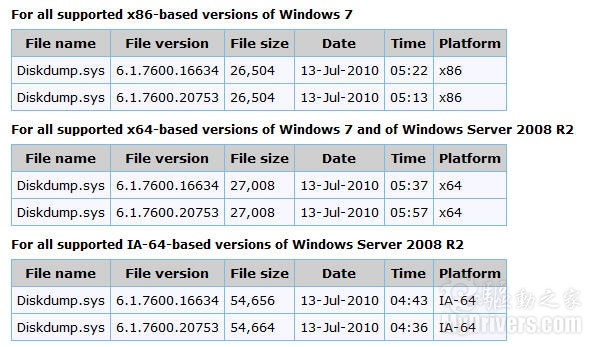
微軟此次發佈的熱修復補丁編號為KB2249857,適用於Windows 7、Windows Server 2008 R2的各個版本,安裝後Diskdump.sys驅動文件的版本號會從6.1.7600.16634升級為6.1.7600.20753。

按照慣例,這種熱修復補丁是不會公開發布的,只會在適當的時候集成到SP裡。如果你碰到了上述情況,可以向微軟客戶服務與支持索取,地址為:
http://support.microsoft.com/hotfix/KBHotfix.aspx?kbnum=2249857&kbln=en-us

相關知識庫:
http://support.microsoft.com/kb/2249857/en-us

Windows 7新补丁更好支持2+TB硬盘空间

http://news.mydrivers.com/1/172/172968.htm

2010年8月23日星期一

走進兩大恢弘壯觀的數據中心

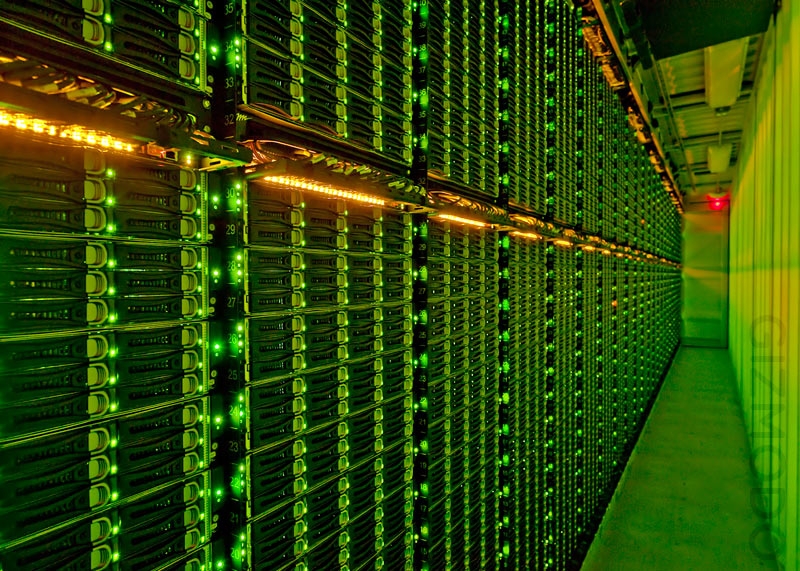
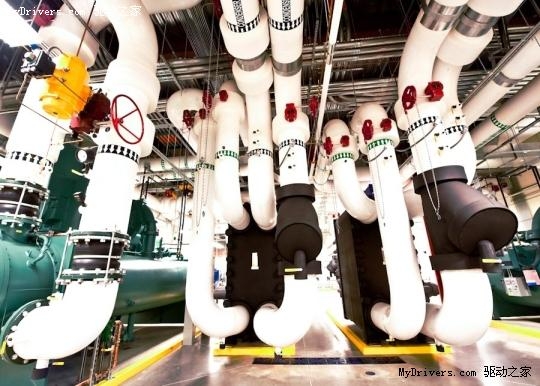
在平常人看來,數據中心通常都不那麼美觀,畢竟,數據中心建設的首要目的是實用而不是美觀。不過全球各地仍然有很多規模恢弘的數據中心,它們同樣能為人帶來建築美學的體驗,今天就來看兩個既實用又美觀的數據中心。

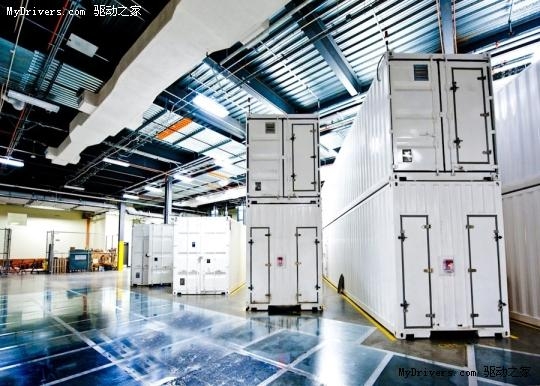
首先要說的是微軟芝加哥數據中心, 它佔地700000平方英呎(約6.5萬平方米),可以算得上是全球最大的一處數據中心了。這個數據中心分上下兩層,第一層就像一個大的室內停車場,停放 著很多大型的集裝箱,每個此類的集裝箱可以容納1800至2500台服務器。數據中心的第二層有四個傳統的活動地板服務器存放室,每個大約有12000平 方英呎(1115平方米)。

走进两大恢弘壮观的数据中心

走进两大恢弘壮观的数据中心

走进两大恢弘壮观的数据中心

走进两大恢弘壮观的数据中心

走进两大恢弘壮观的数据中心

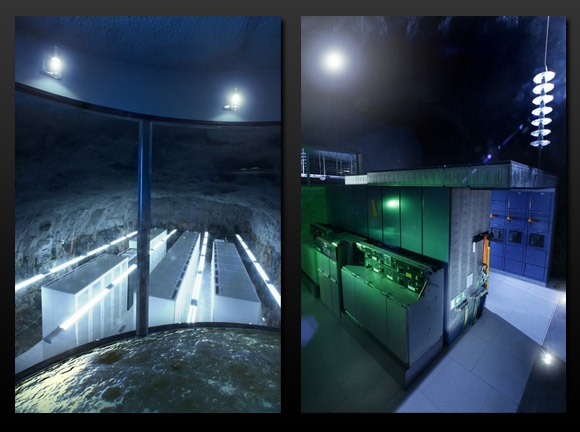
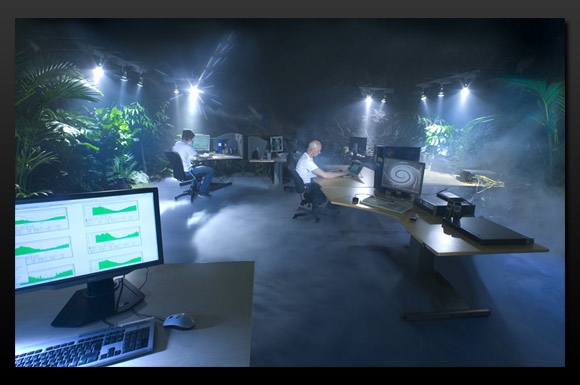
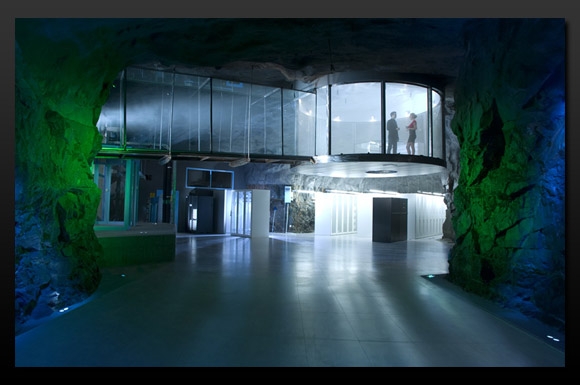
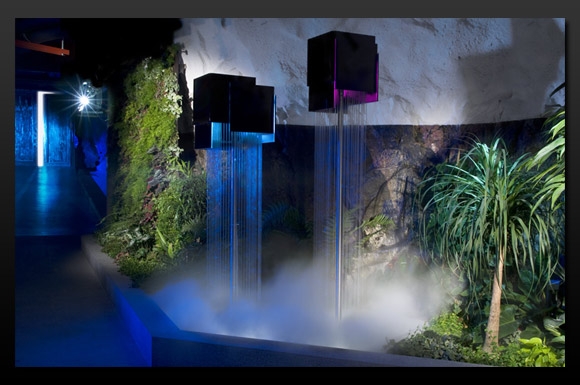
微軟的芝加哥數據中心堪稱實用性的典範,但是要說到最具時尚氣息的一個數據中心,那就不得不提瑞士最大的ISP供應商Bahnhof的地下數據中心「Pionen牡丹」。

「牡丹」數據中心總面積大約1200平方米,設有溫室、瀑布、德國潛艇引擎和模擬日光。該數據中心位於斯德哥爾摩市,原本是冷戰時期的一個軍用掩體和防核地堡,能承受氫彈的攻擊,出入口40釐米厚的大門幾乎把它和人世隔離。

走进两大恢弘壮观的数据中心

走进两大恢弘壮观的数据中心

走进两大恢弘壮观的数据中心

走进两大恢弘壮观的数据中心

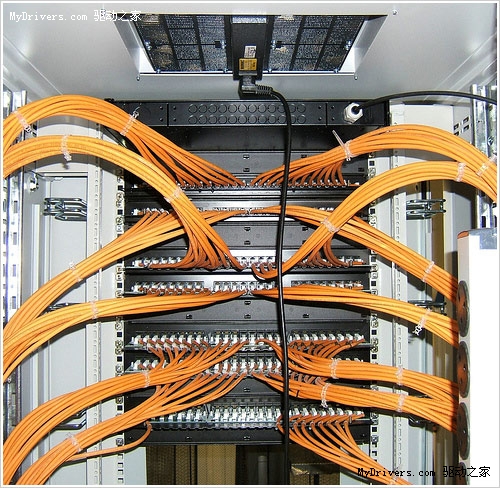
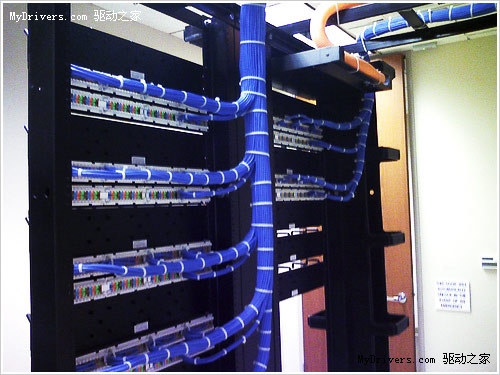
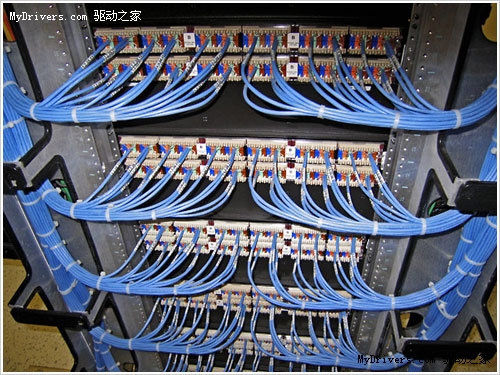
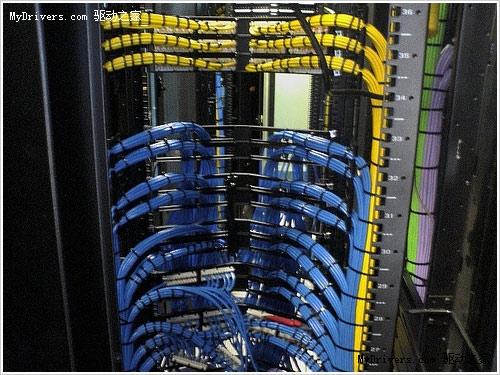
再來看幾張漂亮的數據中心布線:

走进两大恢弘壮观的数据中心

走进两大恢弘壮观的数据中心

走进两大恢弘壮观的数据中心

走进两大恢弘壮观的数据中心

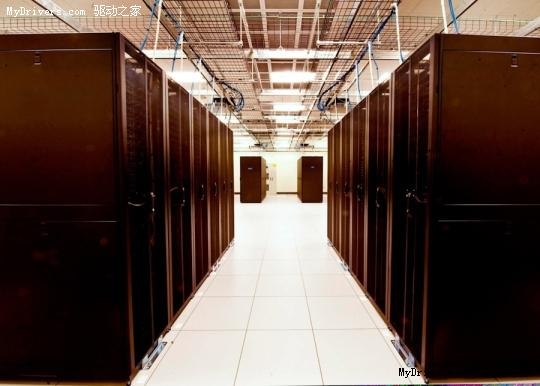
這些規整的布線能為日常維護和今後的部署工作提供極大的方便,雖然看起來沒什麼了不起,但是與一些雜亂的數據中心布線對比後你就能認識到上面這些布線的優美之處了

http://news.mydrivers.com/1/172/172866.htm

2010年8月17日星期二

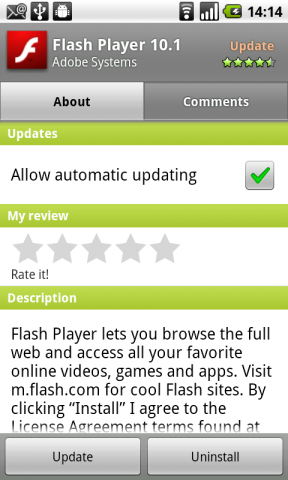
Android版Flash 10.1完成測試開放下載

來自國外媒體的報導,Adobe今天早間發佈了Android 2.2系統智能手機可用的Flash Player 10.1正式版本,結束了該軟件在Android平台長達數月的測試。

現在用戶可以在Android電子市場中下載該應用程序,目前似乎僅支持升級至Android 2.2版系統的Nexus One手機下載安裝。HTC出產的Android手機目前尚未獲得支持,不知道是否與Sensen界面系統中內置有低版本Flash有關。

整個軟件大小為5MB左右,可以整合至系統中去,用戶將可以使用內置的網頁瀏覽器直接查看各種需要Flash支持的多媒體內容,包括在線視頻、小遊戲等等。

Android版Flash 10.1完成测试开放下载

曾在7月份曝光的Android版Adobe AIR,現在有了新的官方消息,Adobe表示將會在今年第四季度推出Android平台的Adobe AIR。不過他們尚未提及對系統版本的要求,以及是否會支持Android 2.1版系統以及較舊的機型。

開發人員可以借助Adobe AIR使用HTML、JavaScript、Adobe Flash軟件和ActionScript構建手機和桌面Web應用程序,它們可以作為獨立的客戶端應用程序運行並且不受瀏覽器約束。Adobe AIR為跨設備和平台交付應用程序提供了一個一致、靈活的開發環境,也是目前手機中跨平台Web應用的一種新興技術。

2010年8月13日星期五

有你想要的一切:權威顯卡評測數據庫出爐

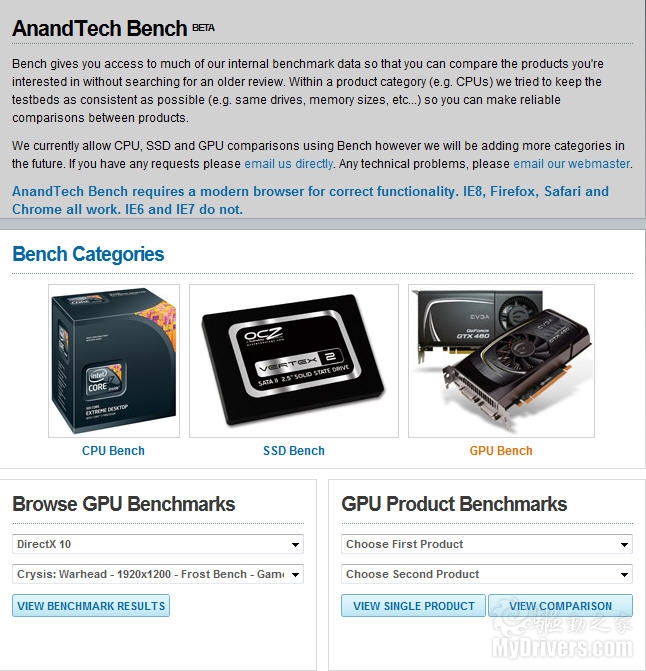
在硬件評測網站中,AnandTech.com可以說是權威性最高的一家,其積累的評測數據也只能用海量來形容。為了更好地利用起這些數據,AnandTech已經先後建立起了CPU處理器、SSD固態硬盤評測數據庫,在其中你可以找到幾乎任何一款現代產品的任何一種性能指標。

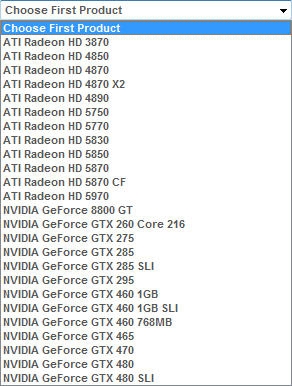
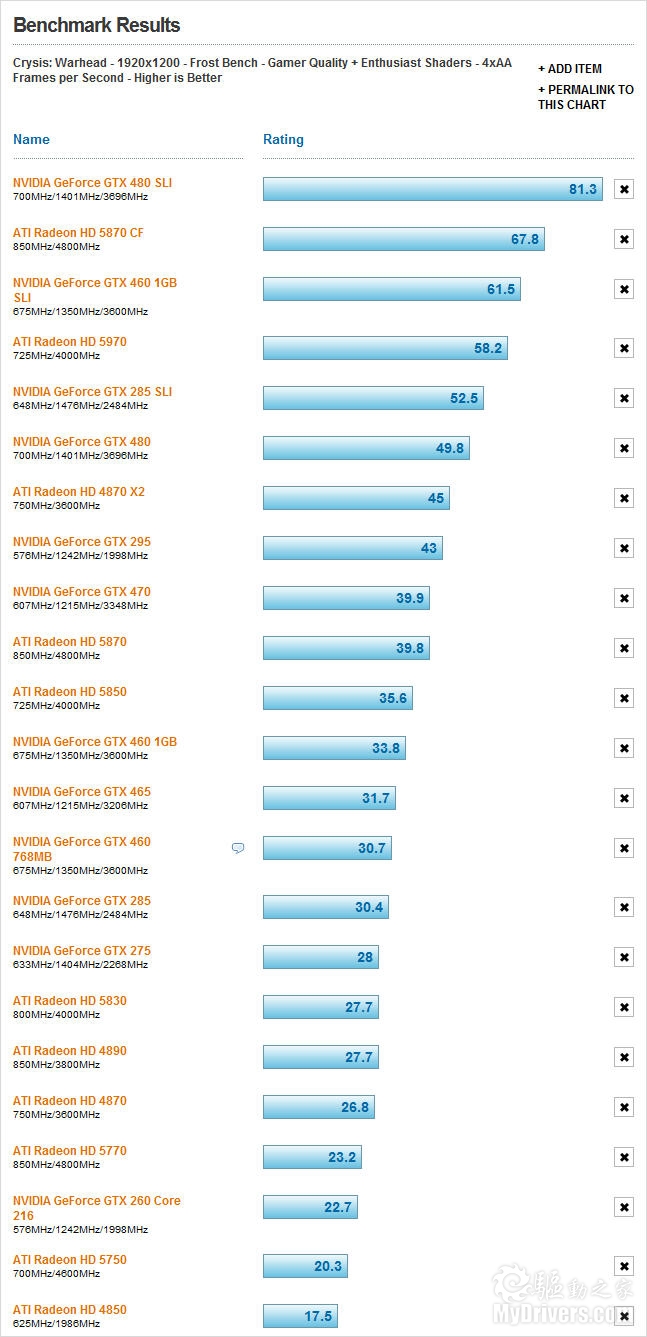
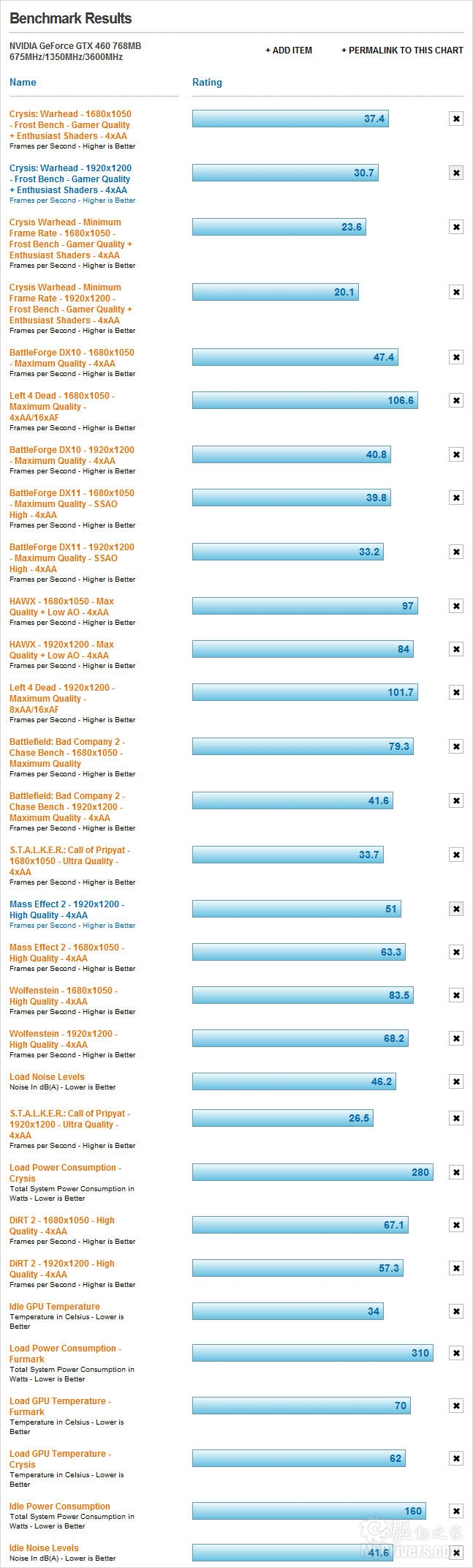
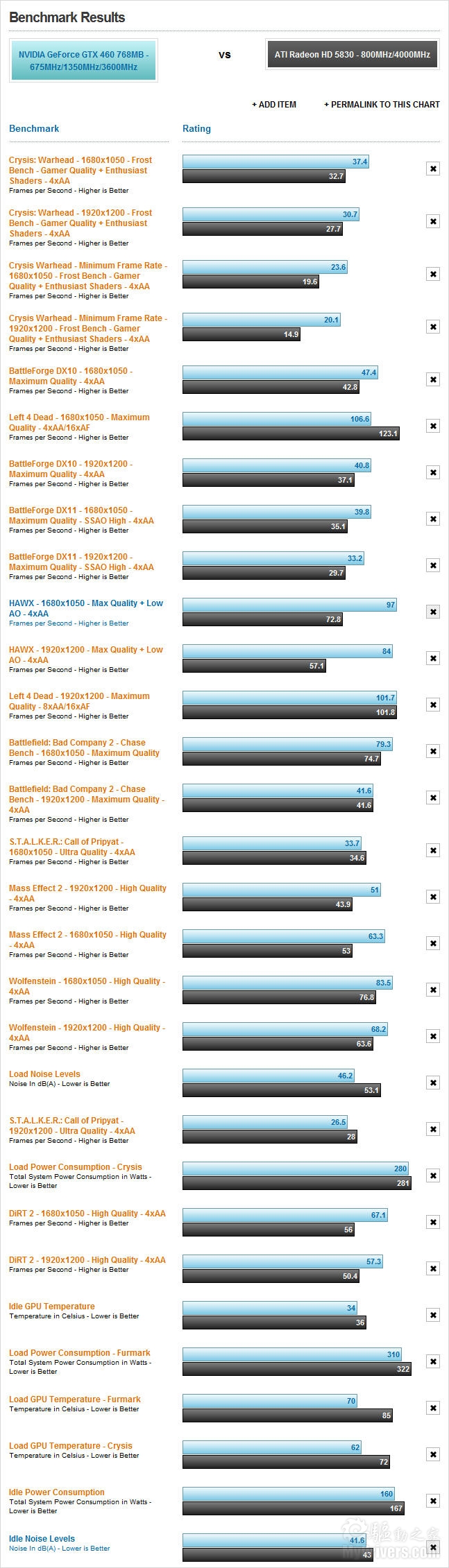
現在,GPU顯卡評測數據庫也終於開放了,同樣的無所不包。在這裡,你可以找到從Radeon HD 3870、GeForce 8800 GT到Radeon HD 5970、GeForce GTX 480 SLI的25款不同顯卡(包括21款單卡、4款雙卡)

有你想要的一切:权威显卡评测数据库出炉
選擇顯卡

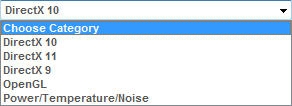
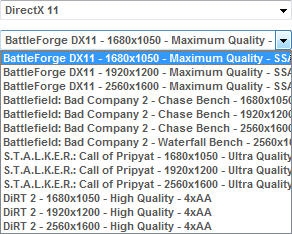
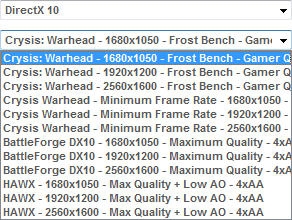
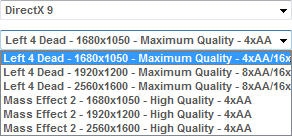
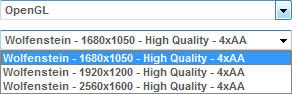
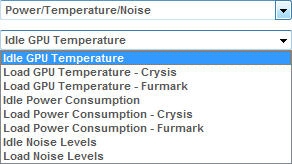
性能評測數據有DX11、DX10、DX9、OpenGL四大類,每一大類下邊有包含多個相關遊戲項目,以及不同分辨率、細節設置、AA/AF等級,另外還有功耗、溫度、噪音指標。簡單地說,每一款顯卡最多會有42項測試數據,總計上千項數據。 

至於查詢方式,既可以單看某款顯卡的不同性能指標,也可以對比某個遊戲場景中不同顯卡的表現,還可以對比不同顯卡在不同場景中的差異。

有你想要的一切:权威显卡评测数据库出炉
測試類別

有你想要的一切:权威显卡评测数据库出炉
DX11測試項目

有你想要的一切:权威显卡评测数据库出炉
DX10測試項目

有你想要的一切:权威显卡评测数据库出炉
DX9測試項目

有你想要的一切:权威显卡评测数据库出炉
OpenGL測試項目

有你想要的一切:权威显卡评测数据库出炉
功耗/溫度/噪音

AnandTech表示,今後還會不斷加入新的測試數據,完善和豐富這個龐大的GPU顯卡數據庫。

CPU顯卡評測數據庫:
http://www.anandtech.com/bench/GPU

CPU處理器評測數據庫:
http://www.anandtech.com/bench/CPU

SSD固態硬盤評測數據:
http://www.anandtech.com/bench/SSD

有你想要的一切:权威显卡评测数据库出炉
數據庫首頁

有你想要的一切:权威显卡评测数据库出炉
各款顯卡對比

有你想要的一切:权威显卡评测数据库出炉
GeForce GTX 460 768MB

有你想要的一切:权威显卡评测数据库出炉
GeForce GTX 460 768MB VS Radeon HD 5830

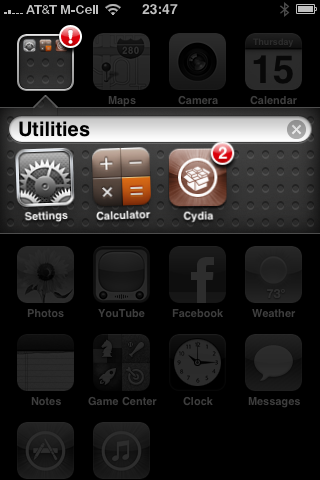
擋不住的越獄路 紅雪可破解最新iOS 4.0.2

昨天蘋果發佈了iPhone可用的iOS 4.0.2升級和iPad可用的3.2.2升級,主要是修復PDF漏洞以堵住Jailbreak越獄破解之路。因為目前針對iPhone 4和其他升級過官方系統的iPhone、iPod touch設備很多都是利用了這一漏洞完成了越獄,在蘋果發佈官方升級之後,會給越獄帶來一定難度。

現在這一情況似乎出現了轉機,老牌的越獄工具Redsn0w已經可以將升級至iOS 4.0.2版系統的iPhone 3G和二代iPod touch進行破解,其他機型尚不支持。

如果用戶手中的設備仍為iOS 4.0.1版系統,仍然可以通過在內置的Safari瀏覽器中訪問www.jailbreakme.com網站完成越獄

針對更多安裝iOS 4.0.2版固件的機型,特別是最新上市的iPhone 4,目前還沒有進行越獄破解發方法。無論如何,在升級系統或者進行破解之前一定要做好系統備份工作,必要時可以恢復舊版本系統或官方固件。

挡不住的越狱路 红雪可破解最新iOS 4.0.2

http://news.mydrivers.com/1/172/172012.htm

2010年8月12日星期四

傳Apple TV將更名iTV 年內發佈

蘋果的Apple TV流媒體機頂盒發佈多年一直不溫不火,軟硬件也已經許久沒有升級。今年5月,癮科技曾報導稱蘋果準備中的新一代Apple TV將引入全套iPhone硬件平台,僅搭載少量閃存,鼓勵使用雲存儲或流媒體方案,而售價僅有99美元。

日前,癮科技又對這一消息進行了更新,重申了之前的一些觀點,包括99美元售價,iPhone 4硬件平台(Apple A4處理器,16GB閃存),iTunes流媒體播放平台等。但最新信息顯示,該機將不會支持1080i或1080p全高清視頻,最高僅能實現720p輸 出。據說這一限制與Apple A4處理器的機能有關,但實際上iPhone 3GS就能夠實現全高清視頻播放,因此這一說法還存在疑問。

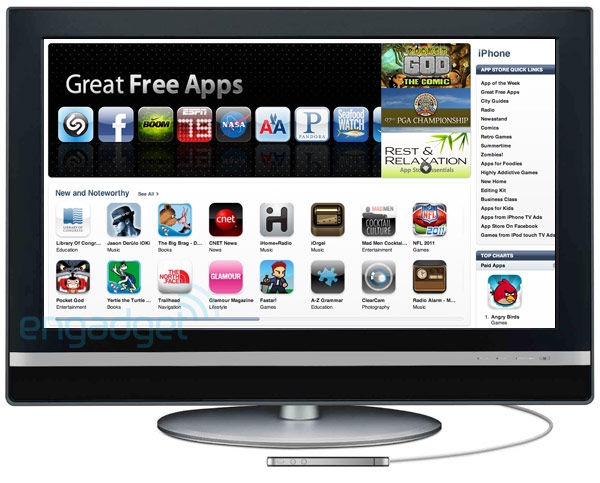
另外,新Apple TV確認將提供App Store軟件商店,但是目前還不清楚連接電視的它是要運行和iPhone、iPod touch、iPad同樣的軟件,還是另外提供專用軟件。

最後,蘋果將把Apple TV更名為iTV。實際上在2006年宣佈這一計劃時,蘋果給它的暫定名稱就叫做iTV,現在只是繞了一圈又回到原點。據稱,新款iTV將在今年秋季發佈。

传Apple TV将更名iTV 年内发布

http://news.mydrivers.com/1/171/171880.htm

2010年8月11日星期三

東芝加密硬盤新技術 斷電自動銷毀數據

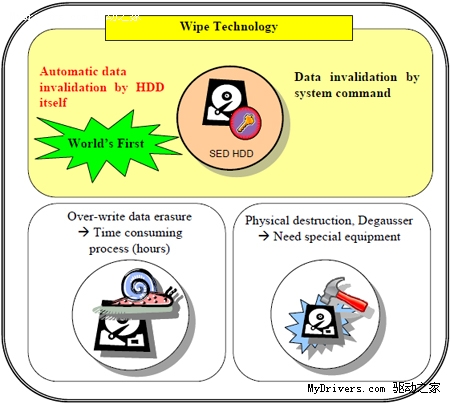
東芝公司日前宣佈,其SED自加密硬盤系列新增一項安全技術「Wipe」,可以在系統斷電或硬盤從系統中取出時,自動銷毀盤上數據。用戶也可以在租賃系統歸還、產品報廢等情況下自行銷毀數據。

普通用戶可能會想,斷電就銷毀數據,那豈不是和內存一樣,完全無法長期保存數據了。沒錯,東芝的這項技術確實不是為普通PC準備的,而是面向內置硬盤的商用打印機、複印機等影像設備。這些設備的硬盤中存儲的都是臨時的複印、打印文檔資料,銷毀數據並不會帶來什麼問題。

東芝表示,相比手動寫零耗時,物理銷毀費力,其Wipe技術可以在斷電時自動銷毀所有數據。事實上,該技術只是在斷電那一刻,將加密硬盤的密鑰失效,並沒有擦除所有數據。但對於硬件加密硬盤來說,密鑰失效的效果確實和數據銷毀類似了。

东芝加密硬盘新技术 断电自动销毁数据

http://news.mydrivers.com/1/171/171755.htm

2010年8月9日星期一

用WD的Data Lifeguard Diagnostics檢測硬碟

對於已安裝 WD (Western Digital) 硬碟機的用戶,如果在作業中遇到一些問題,如資料遺失、讀取異常、無法開機等麻煩時、可能會需要一些輔助工具來協助釐清:究竟這些問題是硬碟本身發生故 障,還是屬於系統軟體的問題?所以 WD 原廠提供了 Data Lifeguard Diagnostics 診斷程式,可以協助我們進行一些簡單的測試動作,以方便我們了解問題所在並決定下一步的處理程序。

程式主要功能:
測試硬碟,修復在測試過程或磁軌資料清除程序中所發現的錯誤,並可列印測試報告供維修單位參考。

程式下載處: http://support.wdc.com/download/#diagutils - http://support.wdc.com/download/#diagutils
(英文網頁,DOS 版檔名為 DLG Diagnostic,Windows 版為 Win DLG)

◎ DOS版本:


◎ Windows版本:


版本使用時機:

  • DOS 版適用於硬碟本身的資料已毀損或無法進入視窗系統,利用下載程式 DLG Diagnostic 建立一內含檢測程式的開機磁片 (1.44 MB),便可用來開機並起始診斷程式,所以必要時亦可執行磁軌資料清除 (Zero write) 來回復硬碟的初始狀態。

  • Windows 版則適用於尚可正常開機的硬碟,或者欲檢測硬碟是屬於第二顆硬碟或非開機系統碟,Windows 版的好處是檢測速度較快。

而兩者功能類似,使用者可自行決定採用何者來執行檢測動作,以下將以 Windows 版為例說明使用步驟。

《步驟一》安裝程式
1. 下載 WinDLG 並執行後會解壓縮至一檔案夾 WinDLG,再執行檔案夾內的 windlg.exe,即會進行程式安裝動作。


2. 點選「NEXT」。


3. 點選「Install」。


4. 點選「Finish」完成程式安裝。


《步驟二》執行程式
1. 點選「開始」→「程式集」→「WD Diagnostics」→「WD Diagnostics」。


2. 打勾同意,點選「NEXT」。


3. 安裝完成後即會出現主要視窗,在中間 Physical Drive 欄位中即可看到目前系統中的實體硬碟,並可看到型號 (model)、序號 (serial)、容量 (capacity) 與 SMART 狀態。


《步驟三》滑鼠左鍵雙擊 (double click) 實體硬碟圖示,即會帶出測試選項視窗,內有選項如下:


1、 QUICK TEST:利用 SMART (Self-Monitoring, Analysis, And Reporting Technology)的自我檢測功能收集並驗證目前硬碟內所儲存的 Data Lifeguard 各項資訊,此檢測耗時極短,可以快速瞭解此硬碟的各項基本功能是否正常。

2、EXTENDED TEST:執行完整的碟片表面掃描,以檢測是否存在壞軌 (bad sectors),必要時進行修復,但此項檢查視硬碟容量與系統速度,可能會耗時近數小時。

3、 WRITE ZEROS:將硬碟所有磁區均寫入"0",也等於是進行資料清除,而此項工作分為兩種:Quick 與 Full。Quick 是將前一百萬與最後一百萬個磁區(sector)資料清除,而 Full 就是將所有磁區資料清除。此時如果只有一顆硬碟並內含作業系統,當然也就無法進行 Write zeros。

4、VIEW TEST RESULT:將最後的測試結果以報告摘要形式呈現。


《步驟四》在每一種測試結束後,如果系統可以正常連接至 Internet,將同時出現類似以下英文網頁,主要是以較口語化的方式說明測試結果。


《步驟五》在主要視窗中如果直接點選實體硬體的 SMART 狀態欄,將會出現以下的 SMART 資訊視窗,裡面列出各個硬碟狀態的數值,可藉以預測硬碟本身是否即將產生故障狀況。


其 中各個硬體功能參數稱為「Attribute」,並有其代表的 ID,每一 Attribute 皆有其值(Value),範圍可能是 1~253 (對 WD 硬碟而言,Value 範圍通常是 1~100 或 1~200),數字越小代表是越糟的狀況,所以 100 可代表是標準值,硬碟會定期自行診測並紀錄 SMART 數值,一旦 Value 低於下限(Threshold),意味著硬碟可能即將發生故障。使用者將可藉由此功能對於硬碟的狀態有更全盤的掌握,點擊該視窗下方的「Help」將會出 現針對幾項重要參數涵義的說明文字視窗。


補充說明:

  1. 在進行檢測工作前,特別是懷疑可能有壞軌狀況需要修復時,極力建議使用者先行將重要資料進行備份,因為一旦以 Extended test 掃描磁軌並進行修復,即代表可能會破壞原本的資料 (無論正確與否)。

  2. 如果懷疑是硬碟上的資料遺失或毀損而影響系統運作,便可利用 Write zeros 功能來將硬碟上資料完全清除,以便再進行重新的軟體安裝;另外是在將硬碟送修前擔心內部資料有外洩之虞時,使用者亦可利用 Write zeros 方便的將硬碟資料完整清除來確保安全 (此時建議使用 DOS 版本)。

  3. Data Lifeguard Diagnostics 並無法提供完全的功能來修復硬碟,使用它的主要目的除了可以客觀的了解目前硬碟的健康狀態,並可以來協助釐清系統的問題或不穩定是否是因硬碟而起,若是發 現有壞軌(Bad sectors)狀況發生時,透過內建的 extended test 磁軌掃描功能將可能有效的把壞軌修護。如此將可降低因假性故障而將HDD送修的機會,避免後續無謂的成本耗費。

※ 備註:
1. 若您有任何相關問題,可進電至WD客服專線:00800-6008-6008 詢問。

Hard Disk for Video Editing

For the purposes of video editing it used to be de rigueur to have expensive SCSI drives. That does not apply anymore. With the advances in speeds of IDE drives and SATA drives - and the easy availability of RAID - the type of speeds required for video editing have become very affordable. This page covers the main non-SCSI options and links you to pages on RAID that will make your IDE or SATA drives run faster than if you had SCSI disks.

What to look for in hard disks:

Terminology

Hard disk technical specifications include the following terms: IDE, SATA, Seek Time, Peak Transfer Rates, sustained throughput rates, DMA, spindle speed in rpm, disk cache, number of platters, and - for SCSI disks - LVD, Ultra 160, Ultra 320, etc. Hard disks can be cabled together/configured as stand alone drives, RAID 0, RAID 1, or a combination of RAID 0 and 1. (There's also RAID 5 and RAID 10 but we won't go into that here).

IDE / SATA

PCs have had IDE hard disks for many years now. More recently however there have been big improvements in IDE speeds and capacities. A newer format is the SATA or Serial ATA drives. They use a different data cable and different power cable to connect to the rest of the PC components. Make sure your motherboard supports SATA or you may have to buy a PCI card that provides a connector to plug your SATA drive into. SATA drives show up in the BIOS and in Windows as SCSI drives just to confuse you :-)

Cables

IDE disks use ribbon cables that are either 40 pin (UDMA 33 and below) or 80 pin - that's just what they are called, the plugs look exactly the same though. SATA drives use a special SATA cable. SATA drives also require a different power plug to the standard Molex used for IDE disks. Do check that your Power Supply Unit (PSU) does have that type of output or you may need to buy a Molex to SATA adapter.

DMA

Ignore the DMA descriptions that you get with the IDE and Serial ATA (SATA) drives. Ultra DMA 100 (UDMA 100) has a theoretical maximum data transfer rate of 100 megabytes (MB) per second. That never happens. Similarly UDMA 133 and UDMA 150 don't give you 133/150MB per sec. More important is that when using anything with a DMA above 33 make sure your motherboard (or IDE controller) supports that speed, that you have set it correctly/enabled it in the BIOS, and do use the correct 80 pin IDE cable, or your disk will default to a lower speed. If using a Windows operating system prior to Windows 2000 ensure that you install the PCI bus controller software to ensure best speeds. Whatever version of Windows you are using ensure that the hard disk shows up in the Device Manager with DMA enabled. 

Disk RPM

Never use a 2.5" IDE hard disk. These are typically used in laptop computers and tend to be much slower than the ones used in desktop PCs, even as slow as 3200 rpm. Also, never use a 5400 rpm disk. They just don't have the speed required for video editing.

With 7200 rpm and 10,000 rpm disks available in IDE and SATA at very affordable prices there's no reason to settle for 5400 rpm. 

Cache

Cache is basically RAM that exists on the hard disk itself. Windows accesses data in the cache before it looks on the hard disk for what it wants. A hard disk that holds more data in cache is going to be a lot faster as accessing data from RAM in a few nanoseconds is a lot faster than accessing data from hard disks in a few milliseconds. Standard IDE hard disks hold 2 MB of cache. Faster IDE disk and SATA disks hold 2 MB or 8 MB. SCSI disks tend to hold anywhere between 2 MB and 8 MB of cache.

Number of platters

Platters are the magnetic disks on which your data is stored. Hard disk have reading heads that find the location of data on the platters. The less the head needs to move to find the data the quicker the drive is going to be, but a detailed discussion of platters is outside the scope of this article and not really a major consideration at this point. 

Seek Time / Peak Data Transfer Rates

The maximum theoretical rates are a waste of time. What a hard disk is capable of under a strict set of conditions is not what you will get in normal use. The important consideration for you is the sustained data transfer rate. If the sustained throughput drops below what is required for your video you will end up with jerky results and dropped frames. 

To a certain extent the Seek Times do matter. As the name suggests this is how long the hard disk takes to find the data in it's store. Really fast SCSI disk have rates under 4 milliseconds.

Ideas / Suggestions
  • When you have a choice of formatting your drive in FAT32 (File Allocation Table) or NTFS (New Technology File System) always go for NTFS. There's a 2 GB AVI file size limitation in FAT32 that can cause you a lot of problems.
  • Setup your hard disks in RAID
  • Use an IDE caddy. An internal one will fit in a 5.25" drive bay and has a removable tray into which you can connect a hard disk. When the disk is full it's a simple matter of removing the tray and replacing the disk with a new one. 
  • IDE caddies are also available in external units. When using an external one ensure it connects via firewire, or - at the minimum - USB 2.0. Strictly avoid older ones that connect via a serial or parallel port.
  • Don't fill your hard disk. As you put more and more data on a disk it gets slower and slower. Leave at least 20% of your hard disk free AT ALL TIMES.
  • Run a regular defragmentation from Windows > Accessories > System Tools. If you are an advanced user get a swap file defragmenter and defrag your swap file as well.
  • Backup regularly, not only when you've finished your project but develop a habit of hitting Control + S on a regular basis to keep updating the backup of the project you are working on.
  • Always go for more storage rather than less. If you are making a two hour DVD to fit on a standard DVD of 4.7 GB you'll probably need about 60 GB of hard disk space including your requirements for storing all the original "raw" DV footage, extra graphics, audio tracks etc. 
  • Read these tips on getting the best performance from your hard disks.
  • Enable Write Cache for your hard disk to improve I/O performance.
  • For SCSI disks disable Tagged Queuing
  • Disable Synchronous transfers. Synchronous transfer mode permits the sending device to send multiple data packets without receiving acknowledgment that the receiver actually received every data packet sent. As a result, more data can be sent/received before acknowledgement is required
http://www.poweroid-video-editing.co.uk/Reviews/Articles/Storage/choosing_hard_disks.asp

2010年8月4日星期三

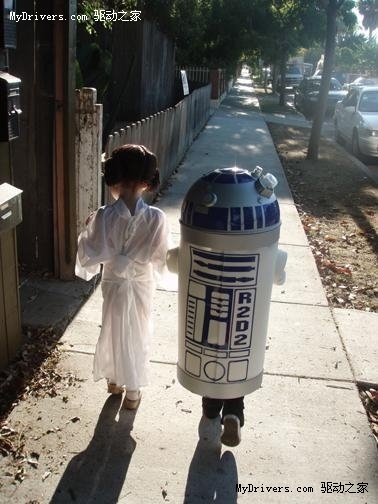
最可愛的COSPLAY之《星球大戰》萊婭公主

《星球大戰》(Star Wars)擁有無數的粉絲,其中的各種角色也成為眾多COSPLAY的裝扮的對象。今天就來看一對兒可愛的小COSPLAY:萊婭公主和R2D2機器人,美中不足最最遺憾的是只有背影。

最可爱的COSPLAY之《星球大战》莱娅公主

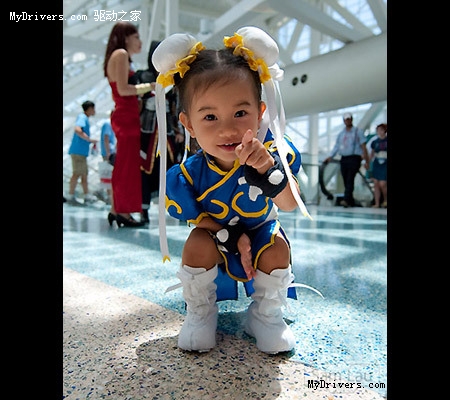
有時無心的一筆反而勾勒出耐心尋味的圖畫,帶來渾然天成的效果,正所謂清水出芙蓉天然去雕飾,日前在網上流傳的小春麗就獲得大家的一致好評。

12个极品Cosplay

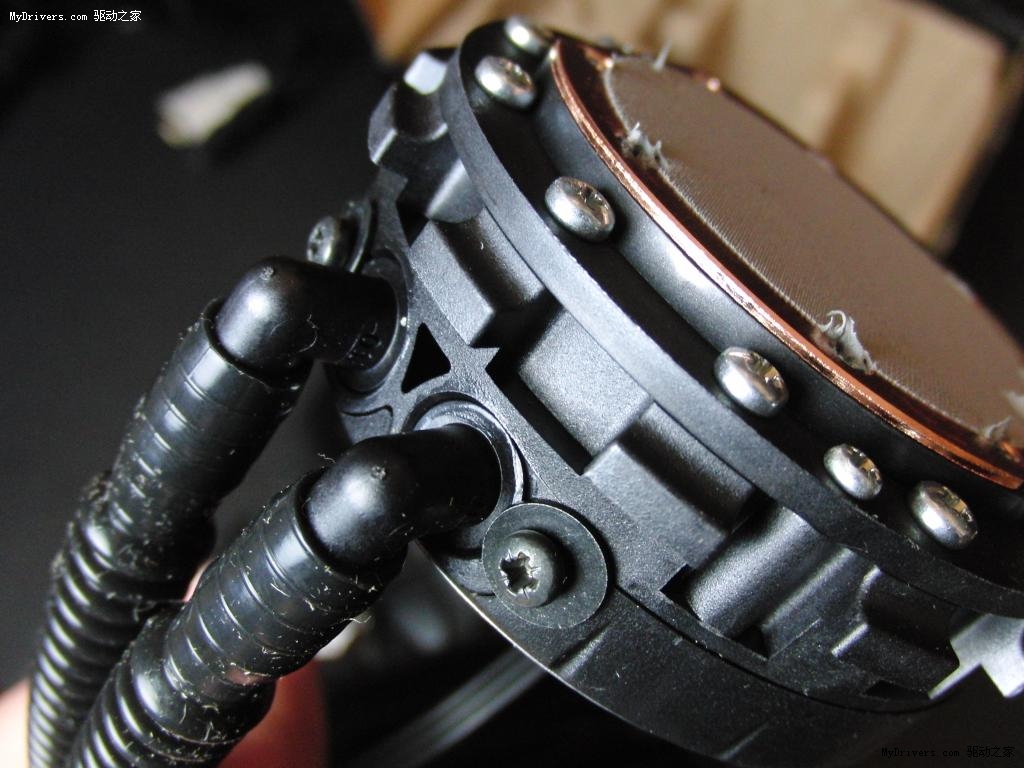
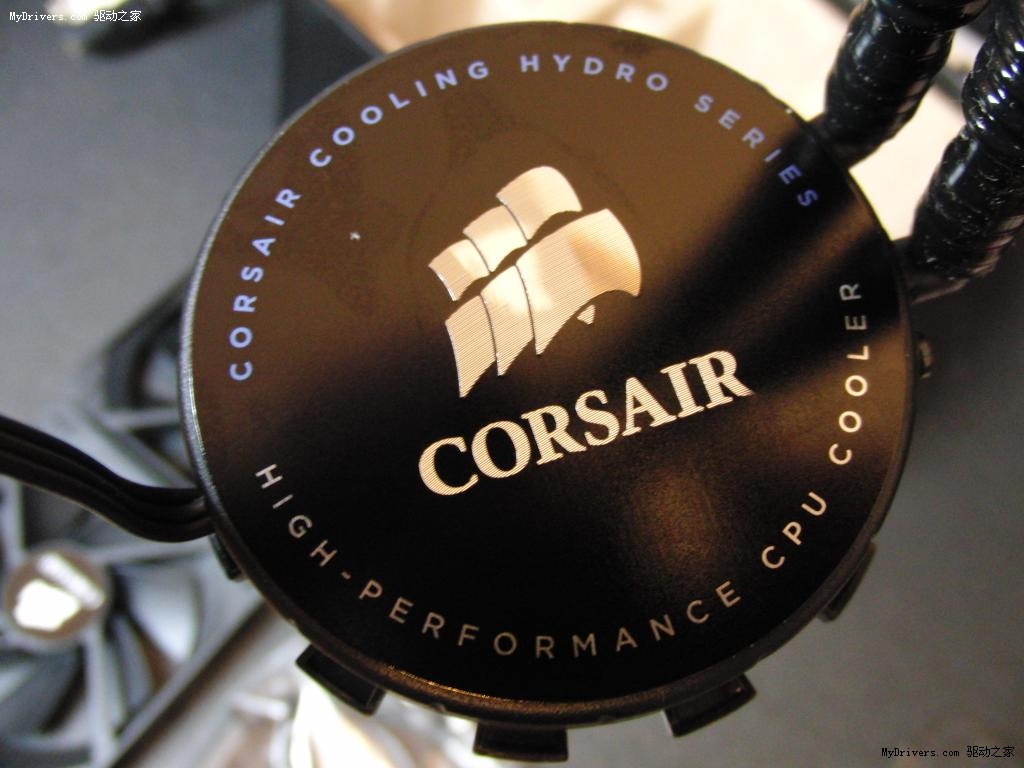
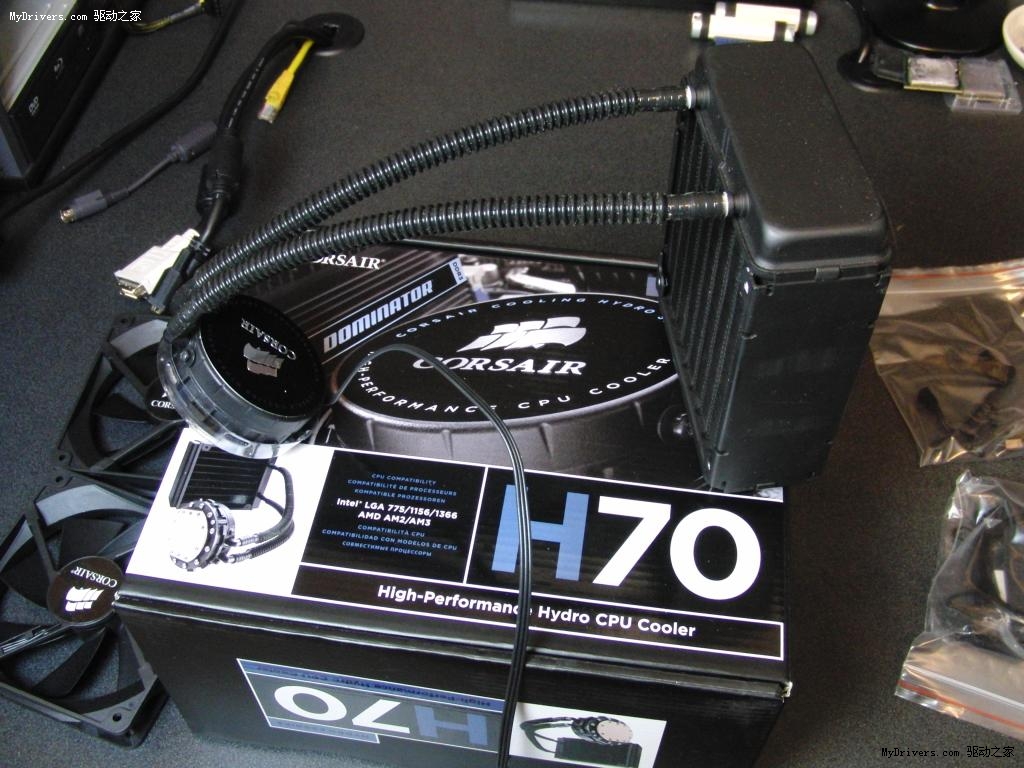
海盜船新水冷套裝H70拆箱實物賞析

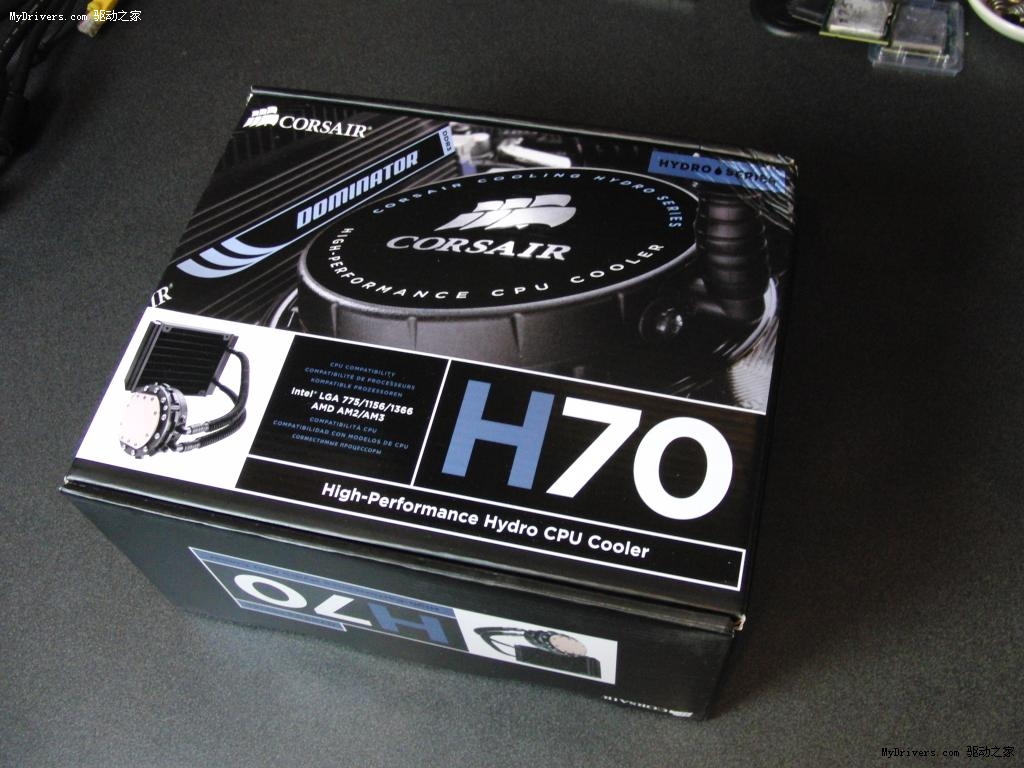
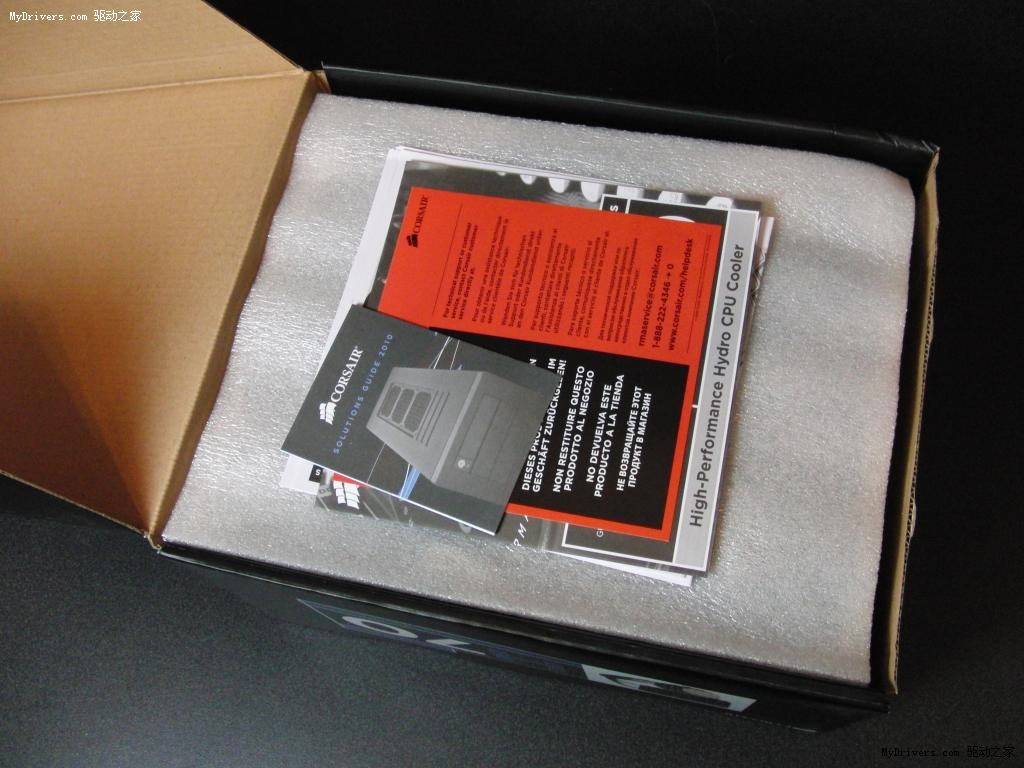
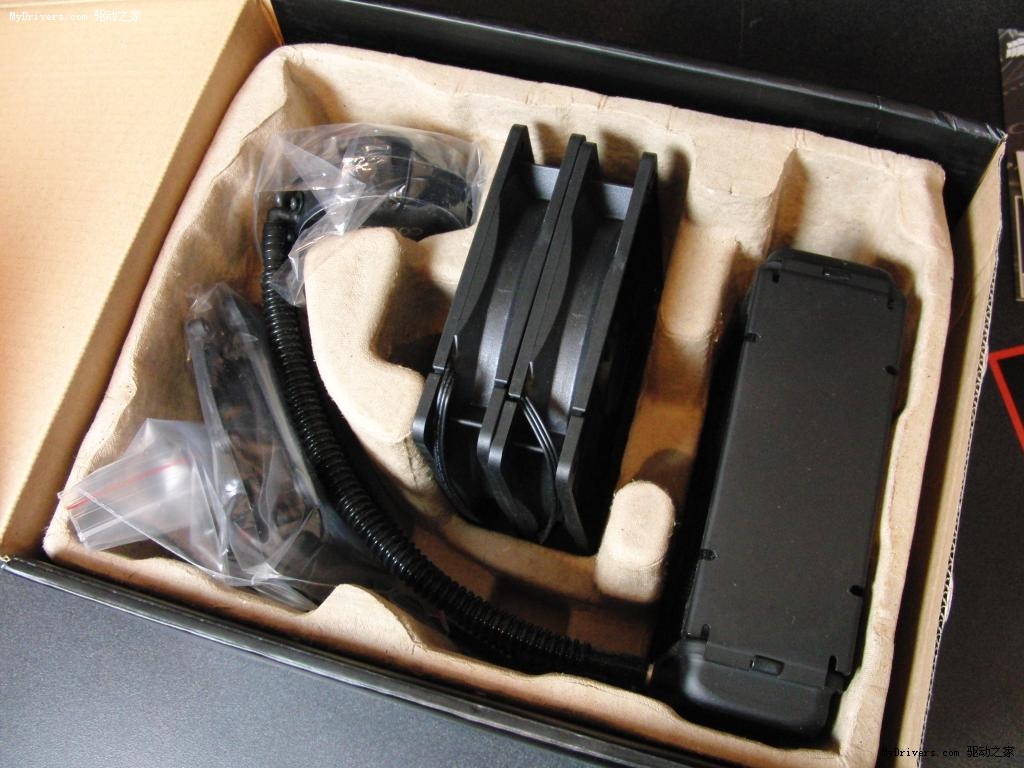
HardOCP.com第一時間拿到了海盜船剛剛推出的新款水冷CPU散熱套裝H70,並和我們分享了多張實物照片。

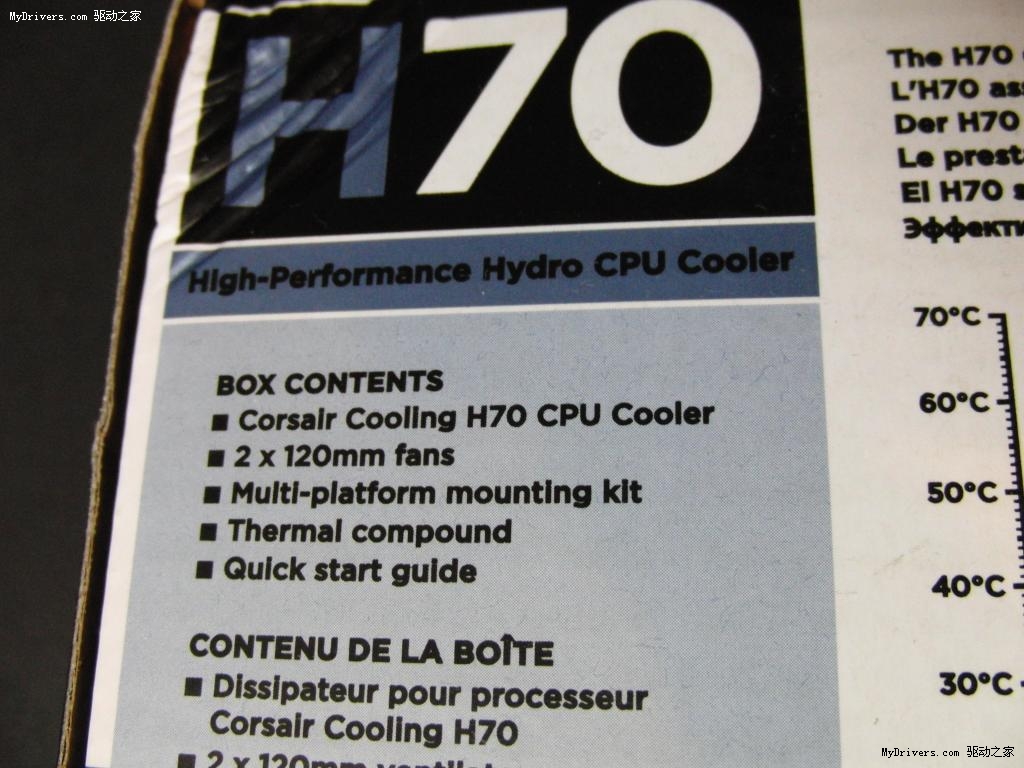
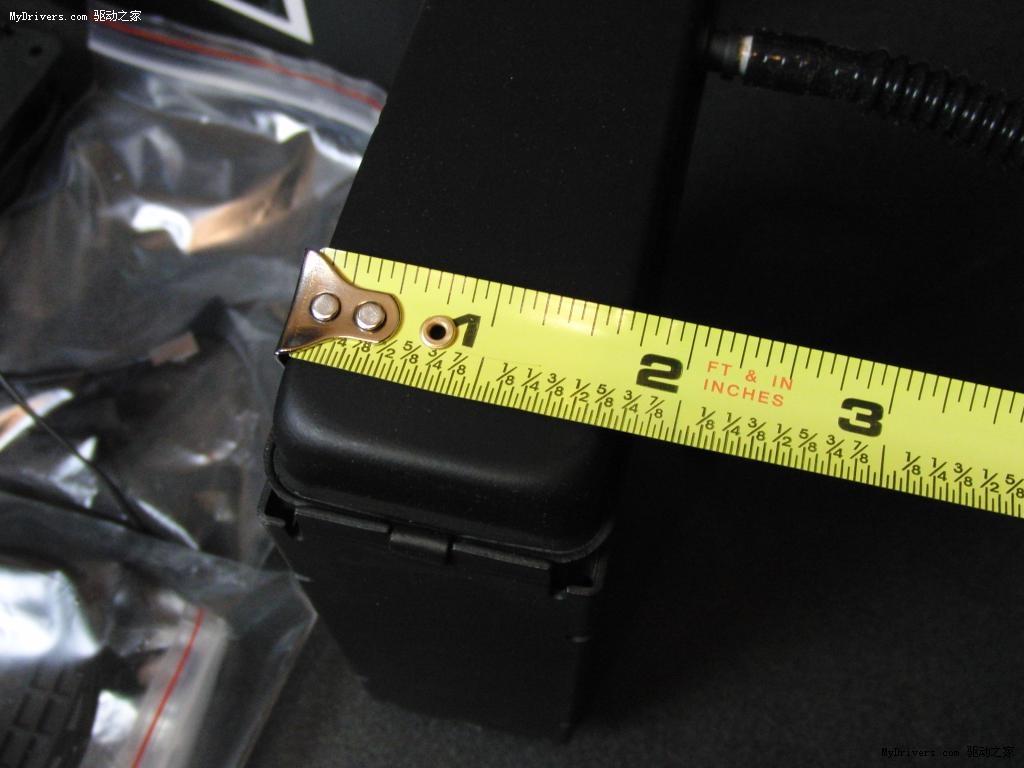
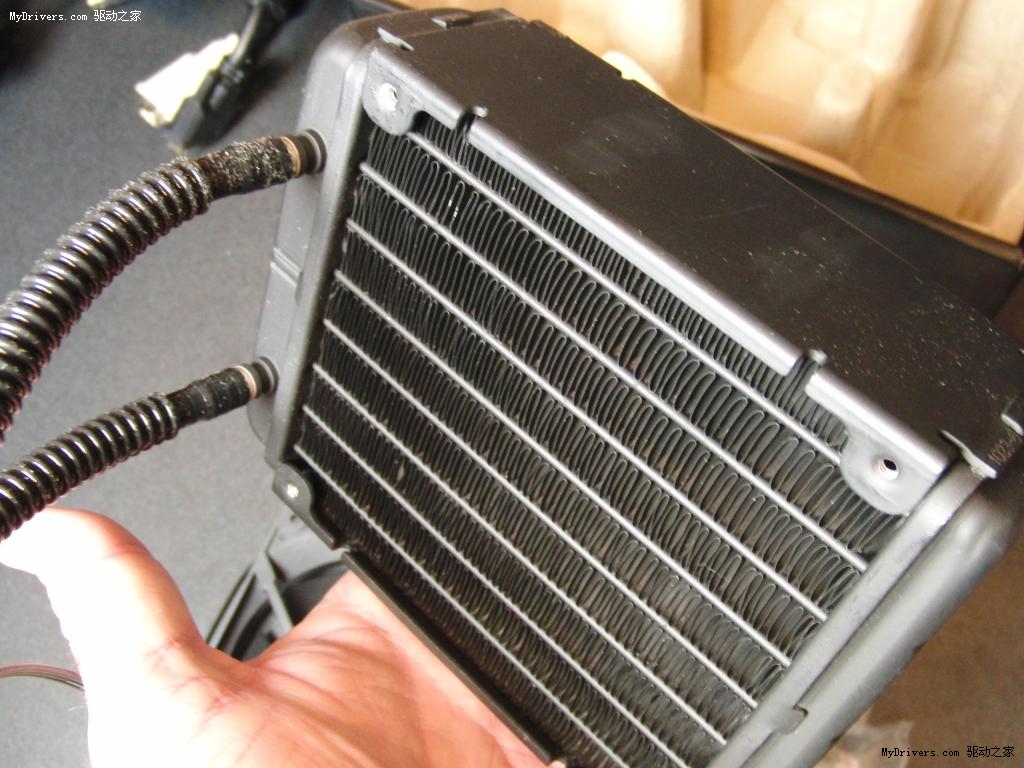
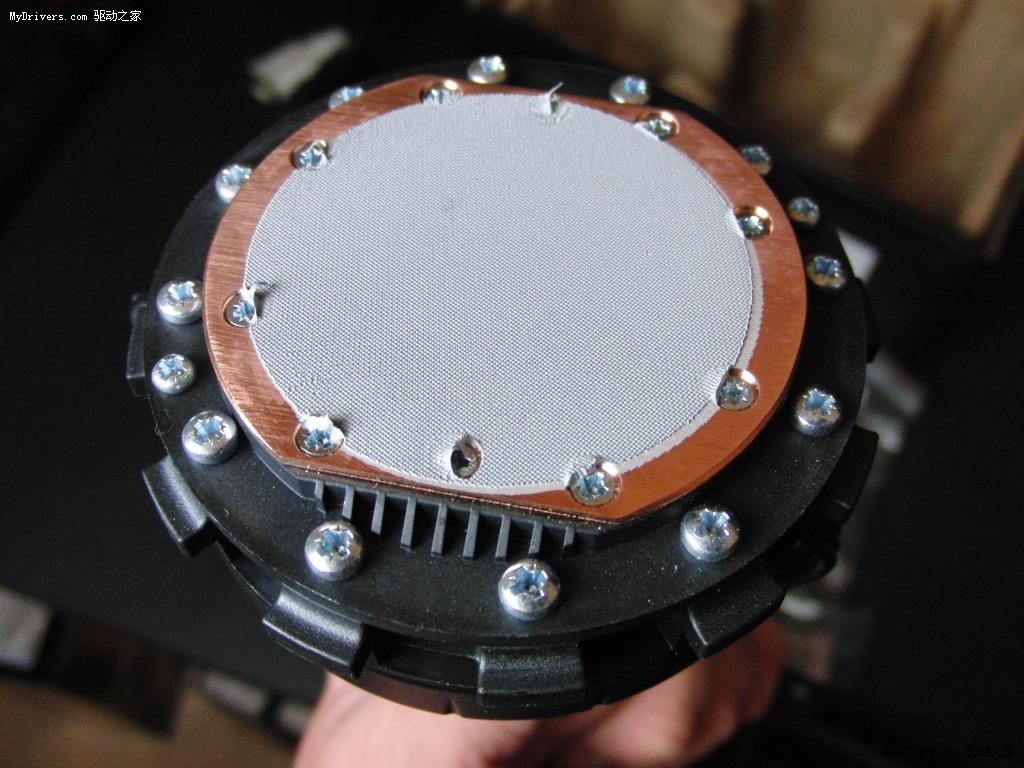
H70的官方完整型號為「Cooling Hydro Series 70」,編號CWCH70,是現有產品H50的升級版,新特點包括厚度翻番至50毫米、熱傳導能力更強的120毫米換熱器,效率更高、厚度更薄的水管和水冷頭、兩個120毫米變速風扇等等。

H70是一套預先封閉的水冷系統,無需用戶手動維護,安裝也非常簡單,當然換熱器和風扇的位置擺放、機箱風道的處理還要用戶自己掂量而行。

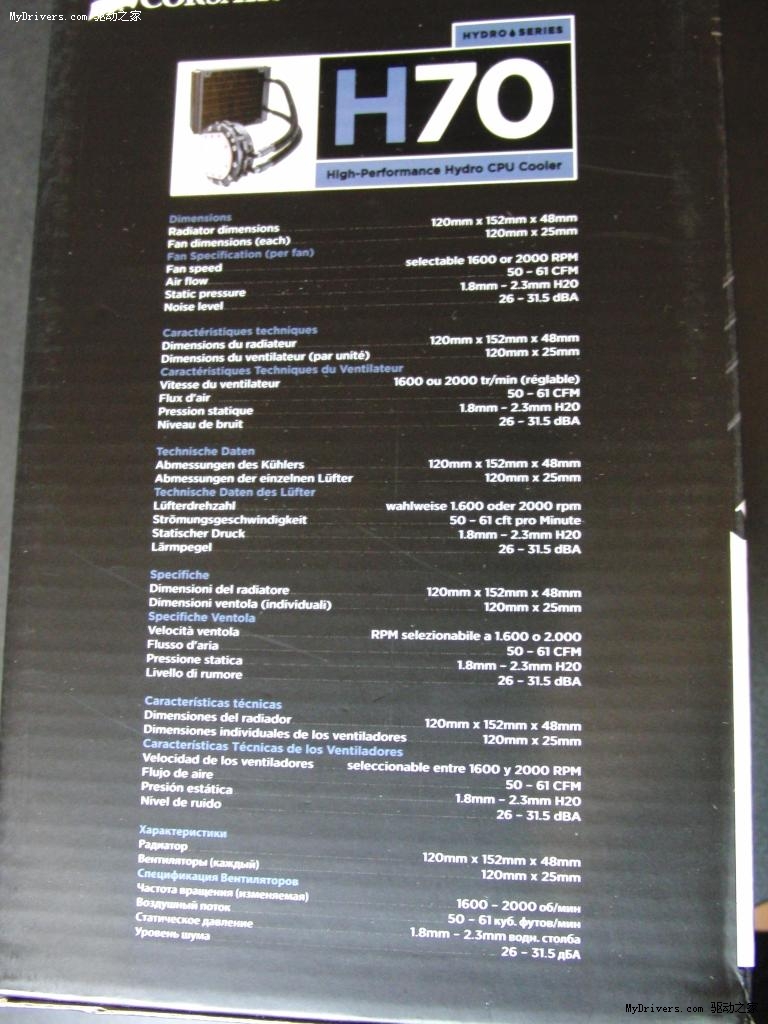
海盜船H70主要規格參數:

- 換熱器尺寸:120×152×48毫米
- 風扇尺寸:120×25毫米
- 風扇轉速:1600/2000RPM
- 風搧風量:50-60CFM (立方英呎每分鐘)
- 風扇靜壓:1.8-2.3毫米水柱
- 風扇噪音:25-31.5分貝
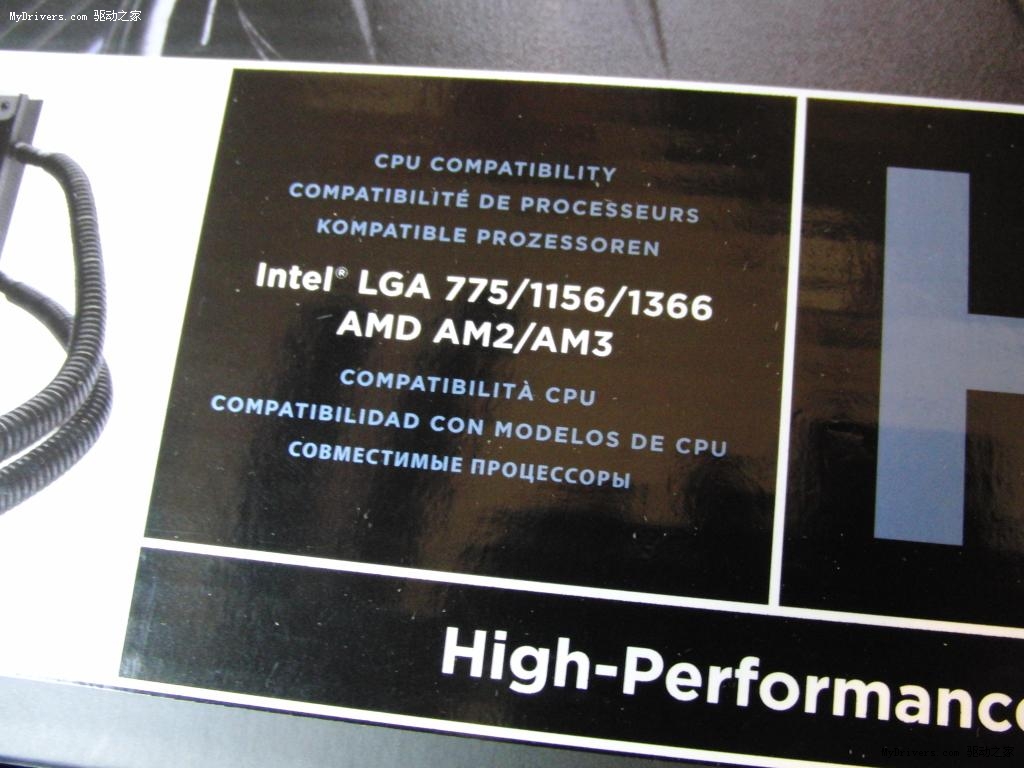
- 支持平台:Intel LGA775/1156/1366、AMD Socket AM2/AM2+/AM3

海盗船新水冷套装H70拆箱实物赏析

海盗船新水冷套装H70拆箱实物赏析

海盗船新水冷套装H70拆箱实物赏析

海盗船新水冷套装H70拆箱实物赏析

海盗船新水冷套装H70拆箱实物赏析

海盗船新水冷套装H70拆箱实物赏析